
What a phone system is for today
A business phone system is what receives a company’s calls on one or more numbers, then directs them: to a handset, a department, a mobile, a queue or a voicemail. It used to be a cabinet in a technical room and a person on the front desk. Today it is most often a software service, sometimes with no device on the desk at all.
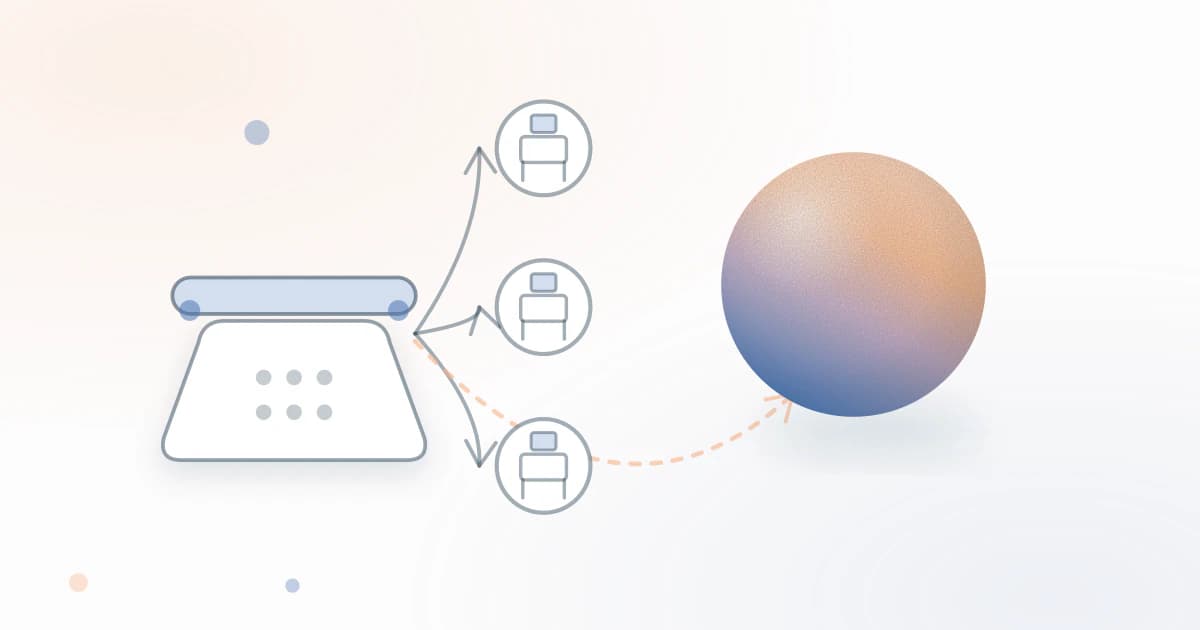
In a very small business or an SME, the function matters more than the tool. A tradesperson on a job, a practice between two consultations, an agency in a meeting: a phone system is only as good as what happens when the call arrives. Yet almost all of them rest on the same assumption, that someone is available at the other end of the line. When nobody is, all they can do is forward the call to another person or to a voicemail. This guide tests that assumption type by type, with a single question: who answers when nobody is available?
The four types of phone system
An IPBX is an IP phone system that the business installs and administers itself, on a server on its premises or virtualised. It switches calls between handsets and lines with very fine-grained rules, at the price of needing someone to run it: an integrator or a colleague comfortable with technology. Centrex, or the cloud phone system, does the same job from an operator’s or software vendor’s platform, rented by subscription, with no central equipment on the premises.
The operator’s phone system is the simplest version: a recorded greeting, a keypad menu, distribution to landlines or mobiles and, depending on the offer, a voicemail. It is set up from the customer account and is enough for many small businesses. The fourth type is different by nature: an AI voice agent does not distribute calls between your staff, it answers them and talks with the caller.
The table below asks each type the same question. Two comparisons go into the detail of the decision: one between IPBX, Centrex and an AI agent, the other between the operator’s phone system and an AI agent. Here, we stick to the overview.
| On-site IPBX | Cloud phone system (Centrex) | Operator’s phone system | AI voice agent | |
|---|---|---|---|---|
| What you pay for | Hardware or licence, installation and maintenance, on top of the line subscription | A subscription, generally per user or per line | Included in the line offer or added as an option | A monthly plan with included minutes |
| Who answers | Your staff, on their handsets | Your staff, on a handset or app | Your staff, after a recorded message or menu | The AI, which introduces itself as such |
| When nobody is there | Ringing, then voicemail or forwarding to a mobile according to your rules | Voicemail or forwarding to a mobile, unless the vendor offers an AI option | Greeting message and voicemail | The AI answers, takes a message or contact details, and offers to transfer to a number |
| Who it suits | Organisations with several handsets, a team and someone to run the technology | Teams that are on the phone every day, sometimes remotely | Small businesses that want a number and a reception service without hardware | Businesses whose calls come in when the team is busy or away |
Cloud phone system: it routes, it doesn’t answer
A cloud phone system does very well what it exists to do: one number, computer and mobile apps, a menu, queues, call statistics. But it assumes people at the other end. When the team is in a meeting, the call ends up in voicemail or rings unanswered. That is their scope, not a flaw.
The comparisons in this guide review the main ones. Aircall is a cloud telephony platform for teams that make and receive calls, and also offers its own AI voice agent. Ringover is a full cloud phone system, with team apps, queues and an AI agent, AIRO, as an option. Kavkom targets companies and contact centres, with IVR, supervision and a built-in CRM. Keyyo, a subsidiary of Bouygues Telecom, equips very small businesses and SMEs with lines and a phone system. Zadarma is a self-service IP telephony operator, offering a phone system and an AI agent that you configure yourself. Onoff is not a phone system: it is an app that adds a number to your phone, without a second SIM card.
Several of these vendors now add an AI option, which suggests that ‘who answers?’ has become the right question. If you are already a customer of one of them, first check whether the option is included and how it is billed.
The voice menu: useful or a barrier?
The keypad menu, or interactive voice response (IVR), is the most visible part of a phone system and the most criticised. It helps when two or three choices are enough and each one leads to a person who answers. It becomes a barrier when levels pile up, when the caller has to translate their request into the company’s vocabulary or when an option ends in a voicemail.
A simple test: call your own number from a mobile, on a day of appointments, and note where you would be tempted to hang up. The article on auditing a voice menu describes the method step by step. If the menu is short and always leads to a way out, keep it. If not, the guide on moving from ‘press 1’ to conversational voice response presents the alternative, where the caller states their request in their own words, and the dedicated IVR solution shows how it is put into practice.
Numbers and lines: 09, virtual, freephone, VoIP
The number is the part of the phone system your customers see. A landline starting 01 to 05 or 09, a mobile, a virtual number, an 08 number: each sends a different signal and does not cost the caller the same. The guide on the 09 number compares the categories and helps you choose according to use. The one on the virtual number explains what it is, a number with no physical line whose calls arrive over the internet or are forwarded, and what it is used for. The one on special numbers covers the freephone number and the pricing rules for 08 numbers.
On the technical side, VoIP carries voice over the data network: it is the basis of every cloud phone system. The dedicated guide explains SIP, SIP trunks and softphones, details the points to watch on quality and security and gives the timetable for the end of the copper network. A last guide covers calls from a withheld number, useful if your staff call customers back.
For any regulatory point (allocation, portability, pricing), refer to those guides, which cite their sources. Before signing, ask whether you will be able to keep the number your customers know.
Forwarding, transfers, hold: the settings that stop you losing the call
Three settings make the difference, and none requires a new tool. First, call forwarding, which is set with your operator: on no answer, on busy, on unreachable. The guide on call forwarding details the codes and each operator’s particularities. For a very small business, a combination of conditional forwarding is often more useful than systematic forwarding: you answer when you can, and the rest goes elsewhere.
Next, the transfer: tell the caller what is going to happen, check that the person being called can answer, and plan an outcome if they don’t. The article on transfer best practice details these rules. Third setting, hold: a caller who waits needs information or an offer of a callback rather than silence. The article on hold music points out that playing a track means dealing with rights, and suggests alternatives.
To decide on the architecture, two articles complete the picture: one compares a single number with direct numbers, the other covers how to organise a phone system for several sites.
Choosing in five questions
Rather than starting from a brand, start from five questions, in this order. The article on the signs that it is time to organise your phone reception helps you answer the first with a simple log of unanswered calls.
- Who answers when you are away? Over one or two weeks, note the unanswered calls and what happens to them: voicemail, forgotten callback, caller gone to a competitor. If the answer is ‘nobody’, a phone system that routes calls does not solve the problem.
- How many sites and lines? One location and one number can be managed with well-set forwarding. Several sites, several teams or direct numbers justify a cloud phone system or an IPBX.
- At what times do the calls come in? Check whether missed calls arrive during your appointments or outside your opening hours: these are not the same need, nor the same answer.
- What total budget? Add up the subscription, handsets, installation, minutes, options and set-up fees, then compare like for like. The guide on the cost of a phone system details the billing model of each type.
- Which tools to connect? List what needs to receive the information from a call: calendar, CRM, messaging, industry software. A phone system that doesn’t record what was said anywhere forces you to re-enter everything.
Where an AI phone system fits
An AI voice agent is not a fifth phone system to install in place of the others: it sits alongside them. With Alyas, you keep your current line and phone system, and you forward to the agent’s number either all calls, or only those that are not answered, that arrive during another call or that come in outside opening hours. The forwarding is set with your operator.
At the start of the call, the agent introduces itself as the company’s AI assistant. It answers from the information you have given it (website address, text, PDF documents), takes contact details and, once the calendar is connected, offers an appointment in Google Calendar or Cal.com. Every call is recorded, transcribed and summarised in the workspace, where you can listen to it again.
The limits are clear. The agent has only one transfer number: when the caller asks for a person, it offers to transfer to that number or takes a message. It does not distribute calls between several departments and does not follow an on-call rota. If you need to distribute calls between several handsets, keep your phone system and let the agent handle the overflow. The 10-day free trial, with no bank card, lets you check this on your own line; the monthly plans with included minutes, starting from the entry plan, are detailed on the Pricing page.
In this guide
Guides
Comparisons
Articles
By industry
Frequently asked questions
What is the difference between a virtual phone system and an AI phone system?
A virtual phone system is a phone system hosted in the cloud: it receives the call, directs it and rings it on your team’s handsets or apps. An AI phone system answers by itself, talks with the caller, replies from the information provided, takes a message or offers a transfer. The first assumes someone at the other end of the line; the second is there precisely for when nobody is available. Some cloud vendors offer an AI option, which brings the two closer.
Does a self-employed person need a business phone system?
Rarely a phone system in the strict sense: a single user has no colleagues to share calls between. They do, however, have two needs: a business number separate from their personal number, and an answer when they are busy. Forwarding on busy and no answer, to a voicemail or to an AI agent, often covers most of it. A cloud phone system is justified as soon as a second person shares the calls.
Does a cloud phone system work with existing phones?
It depends on the offer and the equipment: many cloud phone systems work through a computer or mobile app, which avoids the question, but an older desk phone needs to be checked. Before signing, ask the vendor for the list of supported phones and what, if anything, has to be replaced. The guide on VoIP telephony explains the notions that help you ask the question.
Do you still need a ‘press 1’ menu?
Not necessarily. A short, honest menu that always leads to a way out to a person or a message is still acceptable. As soon as levels pile up, callers guess what you want to hear instead of explaining their request. Call yourself to judge: if you hesitate in front of your own menu, your customers hesitate too.
Can you combine an existing phone system and an AI agent?
Yes. The existing phone system carries on distributing calls to your staff, and you forward to the agent the calls that are unanswered, busy or received outside opening hours, using forwarding set with the operator or in the phone system. The agent does not replace the distribution between your handsets: it takes what nobody has taken. You keep your number and can test the set-up during the free trial.